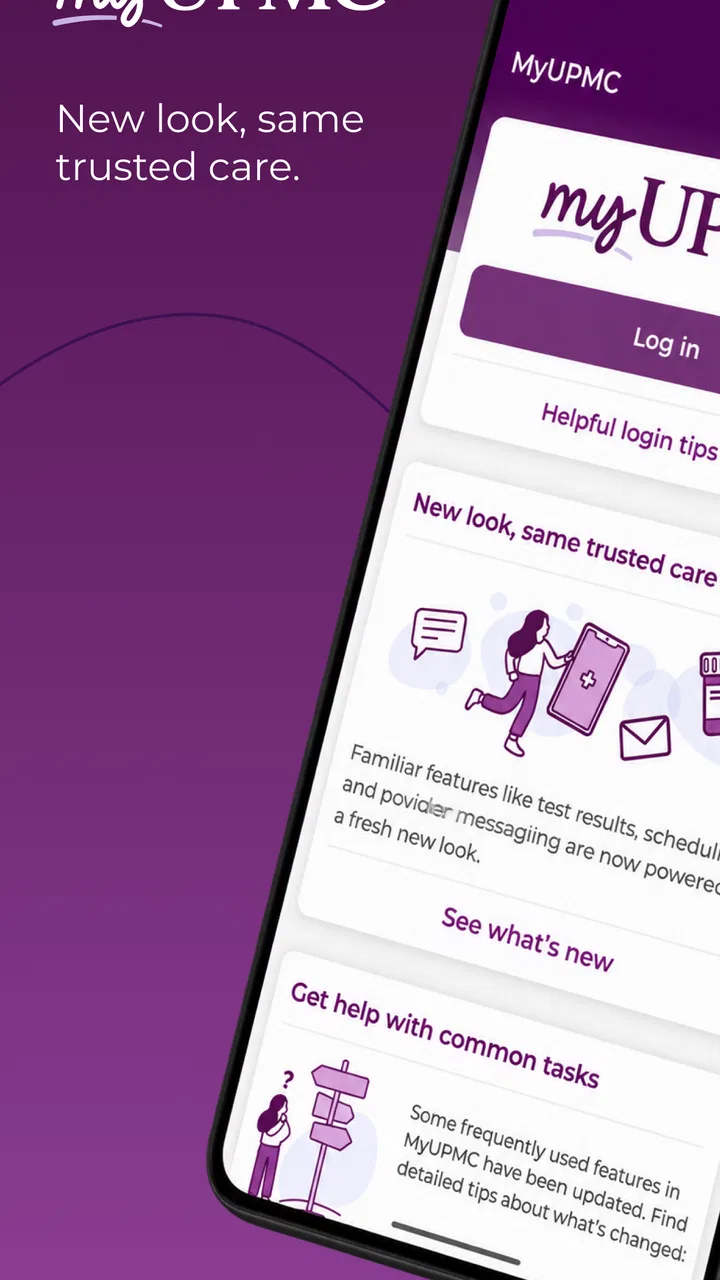
MyUPMC
- 4.3
- Rating
- 500.00K
- Installs
- Free
- Price

 Analysis by App-foxy
Managing healthcare usually means juggling appointments, messages, test results, prescription details, and insurance questions at the same time. MyUPMC brings those tasks into one mobile healthcare app from UPMC, and in my experience its biggest value is not novelty but convenience: it gives patients a single place to check the parts of their care that would otherwise require several calls or separate web pages.
I found it most useful as a practical companion to an existing UPMC relationship rather than as a general medical reference tool. That distinction matters. It is designed to help you manage your UPMC healthcare, not replace a clinician, diagnose symptoms, or serve as an emergency service. If your doctors, records, or coverage are outside the UPMC system, its usefulness can drop quickly.
How MyUPMC fits into everyday healthcare
MyUPMC is a free medical app developed by UPMC, with an Everyone age rating. It has been available since July 21, 2018, and the current version is 3.27.0. Its presence on more than 500,000 devices and an average rating of 4.3 from around 26,000 ratings suggest that it has become a familiar tool for a substantial group of patients, while still leaving room for individual experiences to vary.
You May Also Like

 Blood Strike: 2.5 Anniversary
Blood Strike’s Loadouts Turn Every Drop Into a Tactical Gamble
A close look at Blood Strike’s custom loadouts: how fast access to signature weapons reshapes its battle royale rhythm, rewards preparation, and narrows the gap between fights.

 Pandora - Music & Podcasts
Pandora’s Music Is Easy to Start, but Harder to Recover
Pandora’s strength is its low-effort path from a seed to a station. Its weak spot is how much confidence it asks you to place in connection, setup, and quiet recovery.

 8 Ball Pool
 Is Built on Rivalries, Rematches, and Routine
A close look at the rivalries, rematches, shared routines, and unanswered safety questions that turn a quick pool match into a persistent mobile community.

 Samsung Music
’s Quiet Strength Is Playing What You Already Own
Its reach comes less from spectacle than from dependable access to a personal library. That simplicity is both the app’s strongest retention engine and its ceiling.

 AccuWeather: Weather Radar
AccuWeather Review: A Quick, Clear Forecast for Everyday Decisions
For everyday plans, the best forecast is the one you can understand quickly. AccuWeather makes rain timing, radar, and local conditions easy to act on, with a few trade-offs.

 Hill Climb Racing
Why Hill Climb Racing Still Turns Crashes Into One More Run
A tiny car, a bumpy hill and one more upgrade: Hill Climb Racing keeps resurfacing because its simple chaos makes every near-miss feel personal.
More From Our News Desk



The first thing I would tell a friend is to think of the app as a digital front desk. Instead of searching through old emails or trying to remember which phone number handles a particular request, I can open one place and look for the relevant part of my care. That sounds simple, but healthcare administration is exactly where small delays become frustrating.
The app is available at no cost, which removes one obvious barrier to trying it. The more important question is whether your UPMC providers and services are connected to your account in a useful way. A free app cannot make an outside specialist part of the UPMC record, so the experience depends heavily on how much of your healthcare is handled within that network.
What the current experience is good at
For routine management, the app makes more sense than repeatedly using a browser. A phone is already where many people handle reminders, calendars, and messages, so having healthcare tasks nearby can make them easier to remember. I especially like the idea of checking an appointment detail while away from home, reviewing a message before calling a clinic, or looking at a record when preparing for a follow-up visit.
That convenience is strongest for people who have recurring contact with UPMC. Someone managing ongoing care, several appointments, or regular communication with a practice is more likely to benefit than someone who only needs a healthcare service once in a while. The app becomes a running point of reference instead of an occasional download that is forgotten after one task.
There is also a useful psychological advantage to keeping information in one place. When I prepare for a medical visit, I want to spend less time reconstructing what happened previously and more time thinking about what I need to ask. A patient portal cannot make a consultation better by itself, but it can reduce some of the administrative clutter around it.
Where it should not be your first choice
I would not use MyUPMC as my first stop for urgent symptoms. A patient portal is built around managing care and communicating through an established healthcare system, not handling emergencies. If a situation feels immediately dangerous, the appropriate emergency channel matters more than opening an app.
It is also not the right tool for someone who wants broad, independent medical education without a UPMC connection. A general health reference app or a direct conversation with a qualified clinician may be a better fit for questions about symptoms, treatment options, or second opinions. MyUPMC is at its most relevant when the question is, “How do I manage my UPMC care?”
What the version history means for existing users
The current version, 3.27.0, shows that the app is still being maintained as a live product rather than treated as a one-time portal wrapper. That is encouraging, but I would be careful about reading a version number as proof that every part of the experience has been transformed. In healthcare apps, improvements can be incremental: smoother navigation, compatibility work, refinements to existing workflows, or changes that are important to reliability but not immediately visible.
For an existing user, the practical lesson is to judge the current build by the tasks you actually perform. After updating, I would check whether signing in works normally, whether appointments and messages remain easy to find, and whether the information I rely on appears where I expect it. A maintained app can still introduce small changes in layout or workflow, so taking a moment to look around is worthwhile before an important appointment.
The app’s history also suggests a product that has had time to mature. It is not a brand-new experiment, and that matters for a medical portal because trust grows from repeated use. At the same time, maturity does not eliminate friction. Older healthcare systems often contain different departments, appointment types, and record processes, and a mobile interface cannot always make those underlying differences feel uniform.
I would separate confirmed current evidence from future expectations. The release number tells me which version is current, but it does not promise a particular upcoming feature or a specific redesign. I would watch future updates for clearer explanations of changes, better consistency between sections, and improvements that reduce the number of steps needed for common patient tasks. Those are the upgrades that would make a real difference in daily use.
A workflow I found genuinely practical
Imagine a patient preparing for a follow-up visit after seeing more than one UPMC department. The useful approach is not to open the app only when the appointment begins. I would check the appointment information beforehand, review recent communication, and make a short list of questions while the details are still fresh. After the visit, I would return to the app when I am ready to organize the next step rather than relying on memory.
This workflow turns the portal into a preparation tool, not merely a place to look up a time. The non-obvious benefit is that it helps separate administrative questions from clinical questions. I can identify what needs a message or scheduling action and reserve the appointment itself for issues that require a professional discussion.
For caregivers, the same principle can help, although access and account arrangements need to be handled properly. I would not assume that one person should simply share another person’s login. Healthcare information is sensitive, and the safer habit is to use the access options provided by the healthcare system rather than passing passwords around. The app is more useful when convenience does not come at the cost of privacy.
Small habits that make the app more useful
My first tip is to open the app before you urgently need it. Sign-in problems, forgotten credentials, or an unfamiliar screen are manageable during a quiet moment but stressful when you are standing outside a clinic. A quick setup check can prevent a last-minute scramble.
My second tip is to treat messages as part of an organized care routine. Before contacting a practice, I would check whether the answer is already present in a recent conversation or appointment detail. That avoids duplicate questions and gives the care team better context if a new message is necessary.
My third tip is to use the app as a prompt for preparation, not as a substitute for personal notes. I would write down symptoms, questions, medication concerns, and changes in routine separately before a visit. A portal can help me locate information, but it cannot reliably capture every detail I may want to explain to a clinician.
A fourth trade-off is worth mentioning: centralization is convenient, but it can create a false sense that everything is in one complete record. If I see providers outside UPMC, I would keep track of those visits and documents separately and tell my UPMC clinician about relevant information. The app can simplify one part of the picture without becoming the entire picture.
Remaining gaps and the people who may feel them most
The main limitation is the boundary around the UPMC ecosystem. If most of your care happens elsewhere, MyUPMC may offer little beyond a narrow slice of your healthcare administration. In that situation, a broader health-record strategy, your insurer’s app, or the portals used by your other providers may be more practical. Installing this app will not automatically unify unrelated systems.
Another limitation is that convenience depends on the quality of the underlying information. An app can display an appointment or message, but it cannot resolve every scheduling complication or make every clinical process immediate. When a detail looks incomplete or confusing, I would contact the relevant office rather than repeatedly refreshing the screen and assuming the app has the final answer.
People who dislike managing sensitive information on a phone may also prefer a desktop browser or direct phone support. A mobile app is convenient, but a smaller screen is not ideal for every document or complicated task. I would choose the interface that lets me understand the information accurately, especially when dealing with treatment instructions or insurance-related details.
Accessibility and comfort are personal factors too. Some users will appreciate having healthcare tasks close at hand, while others may find notifications and frequent sign-ins tiring. I would adjust the way I use the app around my own routine rather than treating mobile access as automatically better. For a family member who is not comfortable with smartphones, helping them through a browser or phone call may be kinder and more effective.
There is also a difference between managing care and understanding care. MyUPMC can support the administrative side of a medical relationship, but I would not expect it to answer nuanced questions that belong in a conversation with a doctor, pharmacist, nurse, or other qualified professional. That is not a flaw unique to this app; it is an important boundary for any patient portal.
How it compares with usual alternatives
Compared with calling a clinic for every routine question, a portal app can save time and create a written trail of communication. That is the clearest advantage. Compared with a desktop patient portal, the mobile version is more convenient when I need a quick check away from a computer, although the desktop may feel better for longer reading or more involved administrative work.
Compared with an insurer’s app, MyUPMC is more focused on the provider relationship. An insurer’s tool may be more useful for coverage, claims, or plan information, while this app is the better candidate for UPMC-related care management. I would not expect either one to replace the other completely.
Compared with a general health app, MyUPMC is narrower but more connected to the UPMC context. A general app may offer broader tracking or educational material, yet it will not necessarily provide the same provider-specific administrative value. The right choice depends on whether I need a healthcare reference and tracking tool or a direct way to manage care within UPMC.
Who should download it and what to watch next
I would recommend MyUPMC to patients whose regular care is handled by UPMC and who want a more convenient way to stay organized between visits. It is particularly sensible for people with recurring appointments, ongoing communication, or several routine healthcare tasks. The free price and Everyone rating also make it easy to consider without a financial commitment.
I would be more cautious for someone whose doctors are mostly outside UPMC, someone seeking an emergency or diagnostic tool, or someone who strongly prefers phone and desktop support. In those cases, another option may fit the actual need better. The app is not a universal replacement for every healthcare service, and expecting it to be one would lead to disappointment.
For current users, I would watch how future releases handle the basics: reliable access, clear navigation, understandable appointment information, and communication that does not require unnecessary steps. Those improvements matter more to me than flashy additions because healthcare software earns trust through consistency. If updates make ordinary tasks easier without obscuring important information, that is meaningful progress.
My overall view is positive but practical. MyUPMC does not need to do everything to be worthwhile; it needs to make UPMC care easier to manage, and that is where it has the clearest role. I would install it, set it up before an appointment is urgent, and use it alongside—not instead of—professional medical advice and any other healthcare tools I need. Its real strength is turning scattered routine tasks into a more manageable care workflow.
After using it, I see the app as a useful extension of the UPMC patient relationship rather than a standalone medical solution. The current version and long-running availability make it a reasonable choice for the people it is built to serve. If that describes your healthcare situation, MyUPMC is worth trying; if not, choosing a broader or more specialized alternative will probably save you time.
FAQs for MyUPMC
01What is MyUPMC and what services does it offer?
MyUPMC is a comprehensive healthcare management app designed for patients of the UPMC health system. It offers a wide range of services including scheduling appointments, accessing medical records, messaging healthcare providers, and viewing test results. The app aims to streamline healthcare management and provide users with easy access to their medical information.
02Is MyUPMC free to use, and are there any in-app purchases?
Yes, MyUPMC is free to download and use for patients within the UPMC health system. There are no in-app purchases required, as the app's primary goal is to facilitate seamless communication between patients and healthcare providers, as well as offer easy access to personal health information.
03How secure is MyUPMC in protecting my personal health information?
MyUPMC employs robust security measures to protect users' personal health information. The app uses encryption protocols to safeguard data and ensure that only authorized users can access sensitive information. Additionally, users are required to log in with secure credentials, adding another layer of protection.
04Can I use MyUPMC to schedule appointments with any healthcare provider?
MyUPMC allows users to schedule appointments with healthcare providers within the UPMC network. It is specifically designed for patients of the UPMC health system, so appointments with non-UPMC providers would need to be scheduled through their respective systems or offices.
05Does MyUPMC support integration with other health apps or devices?
Currently, MyUPMC focuses on providing a centralized platform for managing UPMC-related health services. While it does not explicitly mention integration with external health apps or devices, users can manually input data from wearables or other apps into their medical records through discussions with their healthcare providers.
Pros
- User-friendly interface simplifies navigation.
- Secure access to personal health records.
- Easy appointment scheduling feature.
- Direct communication with healthcare providers.
- Customizable notifications for appointments.
Cons
- Limited features compared to desktop version.
- Occasional login issues reported.
- No offline access to medical records.
- Limited support for non-English languages.
- Some users report slow loading times.

MyUPMC
Gallery